
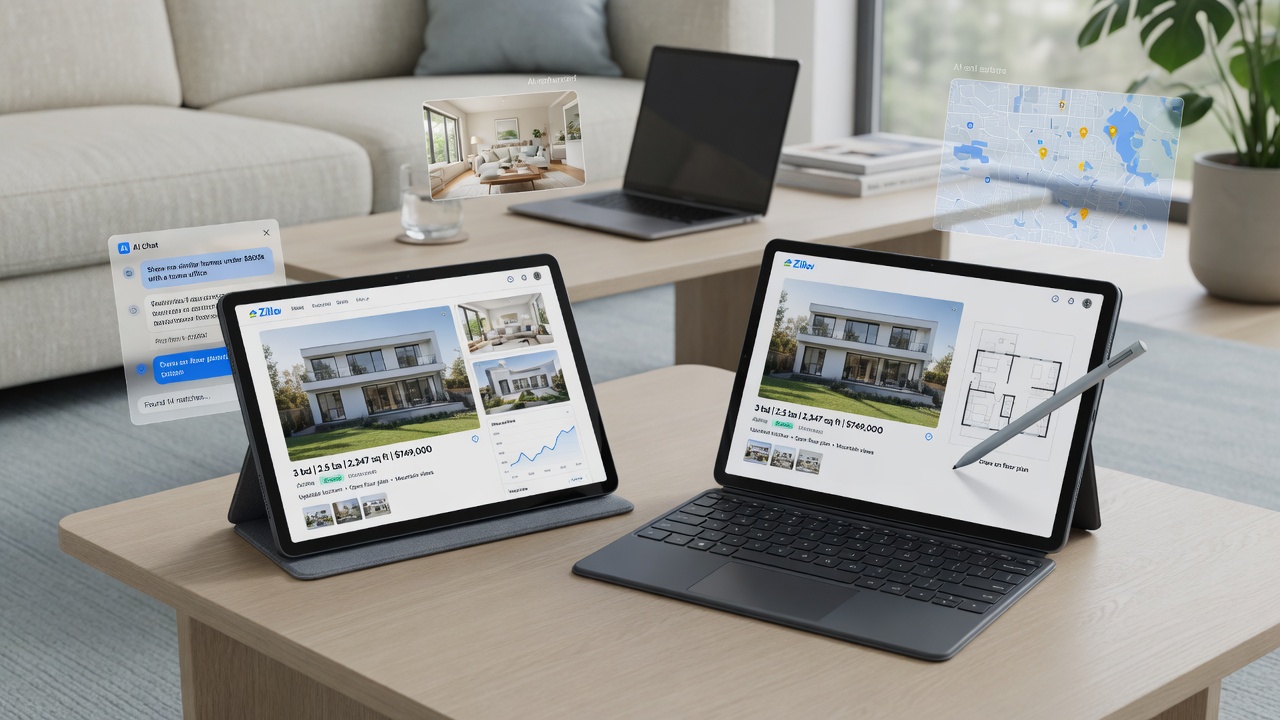
In the earlier post I covered winning a lightly used Intel m3 Google Pixel Slate on eBay for $64 plus shipping. This is the follow-up: how that machine actually runs day to day, what needed fixing on arrival, and why I am currently winning a bid at $65 on an i5 unit with the factory keyboard, charger, and stylus.
Same efficiency math as the first deal — low cost, high utility, no status shopping.
Day One: Powerwash First
The m3 Slate arrived looking fine, but the seller never factory-reset it. Someone else’s Google account was still on the box — classic used-listing asterisk. I ran a full Powerwash (Settings → Reset → Powerwash) before anything else. On used Chrome OS that step is non-negotiable. Free insurance, five minutes, and you know what you actually own.
Slim Chrome OS, Enable Crostini
After a clean sign-in I treated the tablet like a tool, not an app store:
- Deleted unnecessary apps and bloat
- Kept one focused browser profile — research and work tabs only
- Enabled Linux (Crostini) for a real terminal and light prototyping
- Set up Grok (including Grok Build) in Chrome for chat and build sessions
Crostini is the underrated half of Chrome OS. The heavy desktop still handles big compiles. The Slate handles light projects, UI sketches, and tools that do not need to live on the main machine.
I also mocked a simple house-scouting app — frontend-only, for scoping properties on the go. No real Zillow APIs yet. Just screens and flow: prove the idea cheap before over-engineering.
What the m3 Does Every Day
- Zillow searching and listing notes without waking the full laptop
- Grok conversations for quick research and drafting
- General web browsing downstairs or between tasks
The form factor is the real win. Light enough for the couch or passenger seat (parked for any real typing), useful enough that one listing does not require a 15-inch machine. That is portable computing for real estate productivity and light development — capability per dollar, not sticker shock.
Honest Performance Notes
The Intel m3 is better than internet comments claim. Slim Chrome OS stays snappy for notes, Grok, and light Linux. The edge case: heavy Zillow listing and map pages. Map tiles, photo carousels, and too many tabs make it slightly laggy — not unusable, just 8GB shared with Chrome. Map-heavy scouting all day, you will notice. A few listings and you are fine.
Same rules as the first write-up: single project, lean browser, Linux capped sensibly. Bloat is the enemy, not the silicon alone.
The $65 i5 Bid
I found another Slate on eBay — Intel i5, 8GB RAM, with the factory keyboard case, charger, and stylus in the listing. Currently winning at $65. Same eBay tech deal pattern as the m3: patient bid, working hardware, accessories included this time.
When it lands:
- Powerwash day one (lesson already learned)
- Transfer the slim Chrome OS + Crostini setup from the m3
- Side-by-side testing on Zillow maps and Grok sessions
- Undervolt the i5 for cooler operation and better battery life
Undervolt results, battery numbers, and map performance vs the m3 get their own post once the auction closes and the kit is set up.
Why This Still Fits Efficient Wins
Two sub-$100 tablets (if the i5 closes) mean a dedicated scouting machine, a Crostini sandbox, and hardware that is not painful to replace. Maximize capability per dollar. Keep tools portable. Do not pay for status when a clean used Pixel Slate does the job.
Lessons Learned
- Always Powerwash used Chrome OS. Assume the seller forgot.
- Delete before you install. Bloat kills small machines faster than weak CPUs.
- Enable Crostini early if you build anything beyond pure web apps.
- Prototype without real APIs first — mock the UX before wiring Zillow or anything else.
- Buy the accessory bundle when the price is right. Keyboard + stylus + charger at $65 changes the deal.
What’s Next
When the i5 settles: undervolt numbers, battery comparison vs the m3, and whether Zillow maps stop stuttering. The house-scouting mock app gets another pass — still no live APIs until the UX earns them.
If you are hunting eBay tech deals for a cheap Chromebook-style secondary machine, start with a clean Powerwash and a clear job for the device. Full setup steps for the first unit are in I Won a $64 Pixel Slate on eBay.